The Coaster Proofing Checklist: What to Review Before You Approve
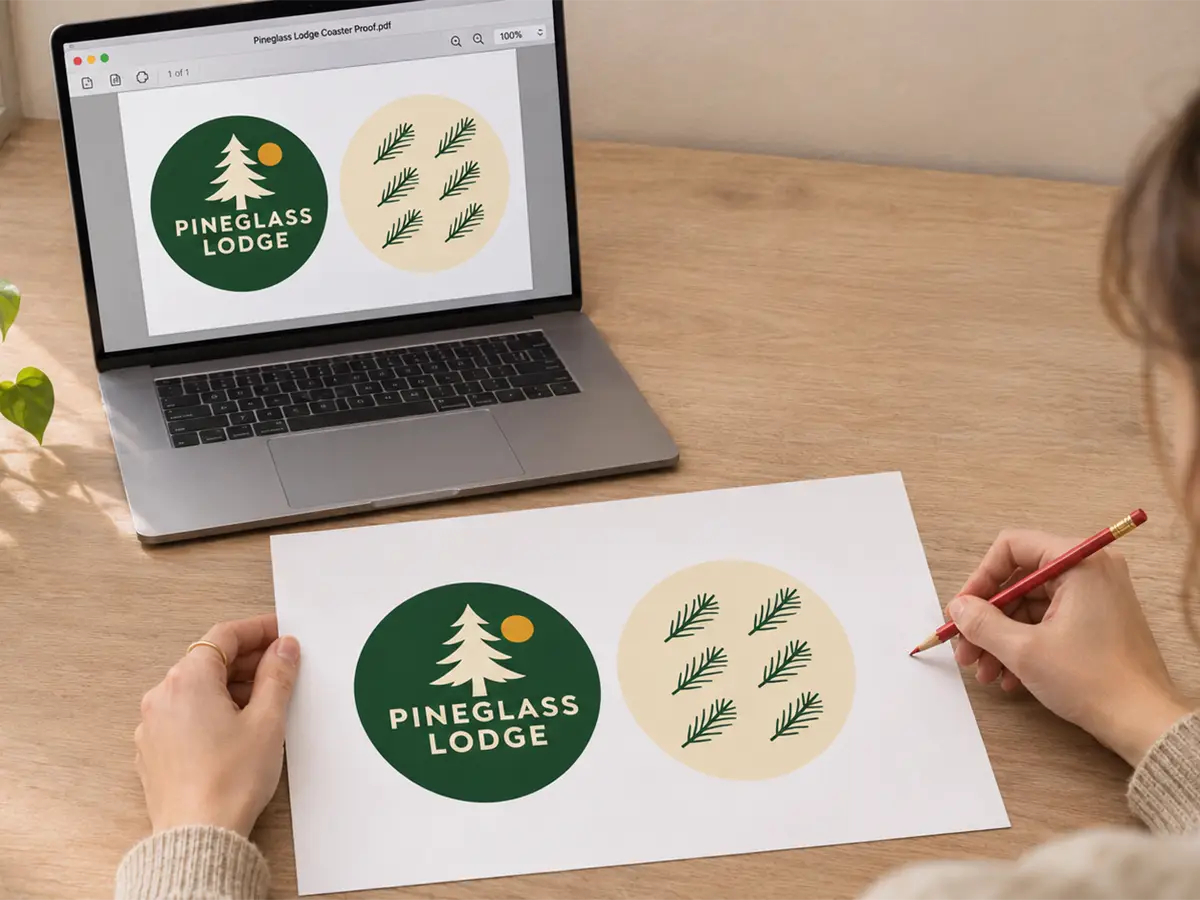
 An ounce of prevention is worth a pound of cure. - Benjamin Franklin
A single missed typo can turn 10,000 custom coasters into 10,000 expensive reminders of what went wrong. The proof approval step exists to prevent exactly that outcome. It is your last line of defense before production begins.
Some buyers treat proofing as a formality. They give it a quick glance, approve it quickly, and assume everything will look perfect on the final product. Then the boxes arrive. The phone number has a digit transposed. The logo sits slightly off-center. The tagline reads "Exellent Service" instead of "Excellent Service".
Summary:
- A digital proof shows layout, wording, and placement, but not the final printed color or board texture
- For orders that require a PDF proof, production lead time starts when we receive your final approval.
- A thorough review protects both your design and your schedule
This coaster proofing checklist applies whether you are ordering a short-run coasters batch for a weekend event or a high-volume coasters run for a national brand program. The stakes scale with quantity, and the same artwork checklist applies to both. The approval step depends on how you order.
What a Digital Proof Actually Shows
A digital proof visually shows how your artwork will appear on the coaster. It displays the layout, text, logo placement, and overall composition. Think of it as a blueprint, not a photograph of the finished product.
What the proof confirms:
- Spelling and wording accuracy
- Logo and graphic positioning
- Text alignment and orientation
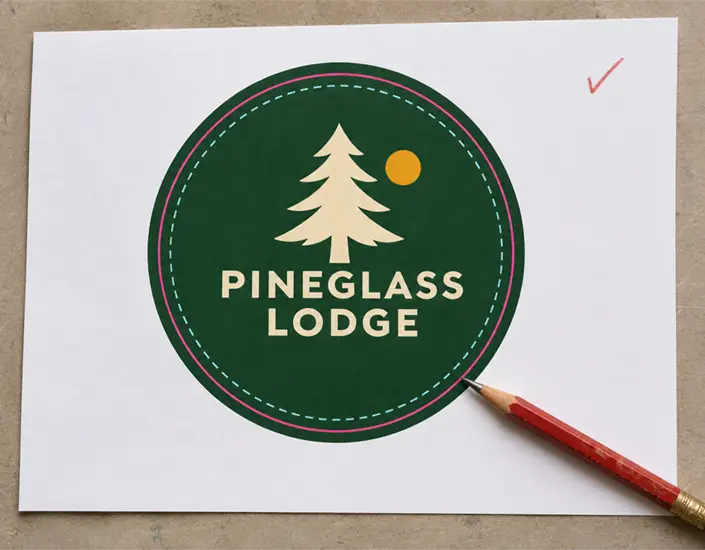
- Trim, bleed, and safe-area boundaries on the proof or artwork template
- Overall visual hierarchy
The proof is generated from your submitted artwork files. It shows how those files will translate to the coaster surface based on the shape and size you selected. Use the trim and safe-area guides to check how close your logo sits to the edge. Check that your contact information is accurate and reads in the intended direction.
For custom coasters, the proof is especially critical. Custom shapes and die-cuts introduce more variables. Use the dieline for your selected shape to check that text, logos, and other important artwork sit inside the safe area.
What the proof does not confirm:
- Exact printed color appearance
- Physical texture of the pulpboard surface
- How the coaster feels in hand
- Final absorbency or thickness
Your screen displays color using RGB. Standard full-color printing uses CMYK. This distinction matters. Colors shift during conversion, and your monitor's calibration affects what you see. A bright red on screen may print slightly deeper. A pale blue may appear more saturated.
Our standard full-color printing for pulpboard coasters uses CMYK. This is the standard for high-quality full-color reproduction at scale. However, we don't guarantee exact Pantone color matches. The proof represents your design accurately, but final printed colors will vary naturally based on the printing process and material.
Why Proofing Protects Your Schedule
How you review and approve your artwork depends on the order type.
For orders that require a PDF proof, production lead time starts when we receive final approval.
This distinction has real consequences. If you place a Value Pack order on Monday and we receive your signed proof approval on Thursday, count the quoted production lead time from approval and allow additional time for shipping.
Artwork revisions and proof approval take time. If you have a fixed event date, allow time for review, production, and shipping.
For direct Value Pack and High Volume orders, here's how proof approval works at Coaster Factory:
- You submit your order and artwork
- We email a PDF proof based on your artwork.
- You review the proof using this checklist
- You approve or request revisions
- Your production lead time starts when we receive your completed, signed proof approval form.
For Short Run orders placed through Coaster Designer, review the final on-screen preview before completing checkout.
Every revision cycle adds time. If you catch an error on the first proof and request changes, we generate a new proof. Review the revised proof before giving final approval. The more thorough your initial review, the fewer cycles needed.
For time-sensitive orders like event coasters or seasonal promotions, careful proofing is not just about accuracy. It is about protecting your deadline.
The Complete Coaster Proofing Checklist
Use this checklist every time you receive a proof. Print it. Save it. Share it with anyone else who needs to approve the design.
Text and Spelling Verification
- Verify all business names are spelled correctly
- Check phone numbers digit by digit, not at a glance
- Open each website URL and confirm it leads to the intended page. If the design includes a QR code, scan it at the intended printed size when possible and verify the destination.
- Review email addresses for typos and correct domain extensions
- Read taglines and slogans word by word, out loud if needed
- Check dates and times if the coaster is event-specific
- Verify proper nouns including people's names and place names
- Look for common typos that spellcheck misses (your/you're, its/it's)
Logo and Graphic Placement
- Confirm logo orientation matches your brand guidelines
- Check that the logo looks sharp at the finished coaster size. Verify that any raster artwork meets the resolution guidelines for your order.
- Verify logo colors are represented in the proof (understand CMYK limitations)
- Review placement relative to center if centered placement was requested
- Check all graphics are present if the design includes icons or illustrations
- Confirm secondary logos (partner brands, certifications) are positioned correctly
Layout and Composition
- Review safe zone compliance to ensure nothing critical sits near the edge
- Check text hierarchy to confirm the most important information is prominent
- Confirm that the correct artwork appears on each side and check how it reads when the coaster is flipped.
- Confirm the finished shape and size on the proof or preview. Check the selected board thickness against your order confirmation.
- Review overall visual balance and spacing between elements
Production Notes
This is where many buyers make mistakes. Understanding what you are approving prevents frustration later.
CMYK Color Reality:
Our standard full-color printing uses CMYK. Ask us about spot-color options if color matching is critical to your order. Use the proof to review content and placement. Printed colors can differ from the screen preview depending on your display, the printing process, and the pulpboard.
If color matching is critical for your brand, send us a Pantone reference or an existing printed color sample before approval so we can discuss your options. For repeat bulk coaster programs, send us a coaster from the previous run as a color reference if matching is important.
Bleed and Trim:
The trim line marks the finished edge of the coaster. Bleed is the extra artwork that extends beyond the trim line. That extra artwork helps backgrounds and images reach the finished edge after trimming. Check the safe area on the proof or artwork template. For Value Pack and High Volume artwork, extend backgrounds that run to the edge at least 0.25 inch beyond the trim line. Keep critical text and logos at least 3/16 inch inside it.
Board Texture:
The proof cannot show the physical texture of pulpboard. Pulpboard has a naturally absorbent surface. Digitally printed Short Run coasters can have a slight sheen, while standard offset-printed Value Pack coasters have a matte finish. Colors may appear slightly different on the actual coaster compared to a proof printed on office paper.
How Proofing Applies to Different Order Types
The same artwork checklist applies to each order type. The approval step depends on how you order.
Short Run Orders
For short run coasters ordered through Coaster Designer, check the event details on the final preview before checkout. If you order 250 coasters for a wedding reception and the approved artwork has the wrong date, that error will appear throughout the run.
For event orders, allow time for both production and shipping. Event dates are fixed. This makes thorough proofing even more critical. Catch the error on the proof, not in the box.
Short run proofing priority:
- Event-specific details (dates, venues, names)
- Contact information accuracy
- Visual hierarchy for table visibility
High Volume Orders
For high-volume coasters, the error multiplies across thousands of units. A wrong digit in a phone number means thousands of coasters directing customers to the wrong number.
High volume orders also carry higher reprint costs. The proof approval step is your opportunity to prevent expensive corrections.
High volume proofing priority:
- Brand accuracy and logo fidelity
- Contact information (phone, web, email)
- Consistency with previous orders if this is a repeat program
Multi-Design Orders
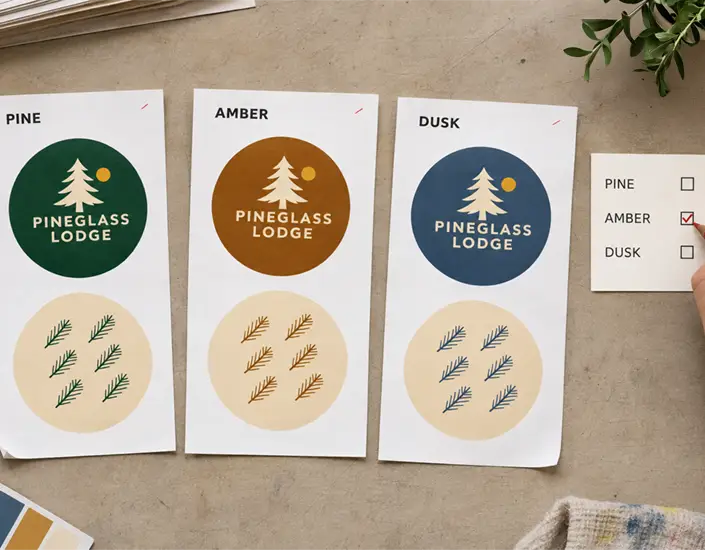
Some orders include multiple designs, such as a brewery running different coasters for different beers. Each design requires its own proof review. Do not assume that because one design looks correct, all designs are accurate.
Review each proof individually using the full checklist.
Common Proofing Mistakes and How to Avoid Them
Use these checks to catch common proofing mistakes before approval.
| Common Mistake | Why It Happens | How to Catch It |
|---|---|---|
| Transposed phone digits | Familiarity causes skimming | Read each digit aloud, backward |
| Outdated website URL | Design recycled from old materials | Manually test the URL in a browser |
| Logo color appears off | Screen settings, the print process, and the board can all affect how color appears. | Check that the proof shows the correct logo version. For a critical color match, provide a Pantone reference or printed sample. |
| Text too close to edge | Safe zone not respected | Check the safe area on the proof or artwork template. |
| Wrong event date | Copy-paste from previous event | Compare to event confirmation documents |
| Missing apostrophe | Spellcheck does not flag grammar | Read every word individually |
Pro tip: Have someone unfamiliar with the design review the proof. Fresh eyes catch what your brain auto-corrects.
What Happens After Approval
For orders that require a PDF proof, production lead time starts when we receive your final approval. Make any artwork changes before approving the PDF proof or continuing past the final review page in Coaster Designer. We print what you approved.
This is not a warning to create pressure. This is a reminder that proofing is your safeguard. A careful proof review helps catch artwork errors before production.
For Value Pack and High Volume artwork, review our file specs page before submitting your files. Properly prepared files reduce the likelihood of errors appearing on the proof in the first place.
Key Takeaways
- A digital proof shows layout and placement, but not the exact printed color or board texture
- For orders that require a PDF proof, production lead time starts when we receive final approval. Allow additional time for shipping.
- Use a systematic checklist to avoid skimming past errors your brain auto-corrects
- The same artwork checklist applies across order types. Review the final Coaster Designer preview or approve the emailed PDF proof, depending on how you order.
- Fresh eyes catch more errors than a quick glance by the person who created the design
Next Steps
Before your next proof arrives, save this checklist. Share it with anyone in your organization who approves coaster designs. Assign a second reviewer for every proof if possible.
For Short Run orders, start with our coaster designer tool. For Value Pack and High Volume orders, review our file specs before submitting artwork.
Ready to start your order? Request a quote and we will guide you through the proofing process step by step.
A few minutes of careful review protects your brand, your budget, and your timeline.
Share: